Creative System

Design Rules

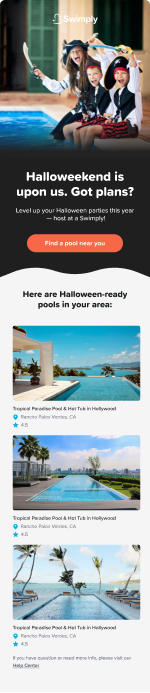
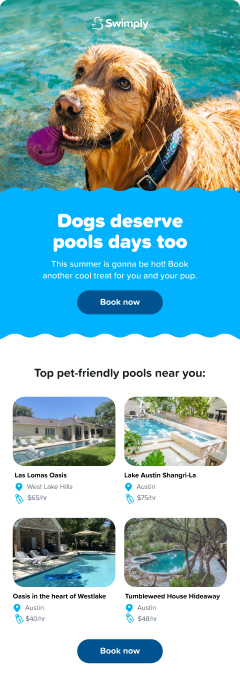
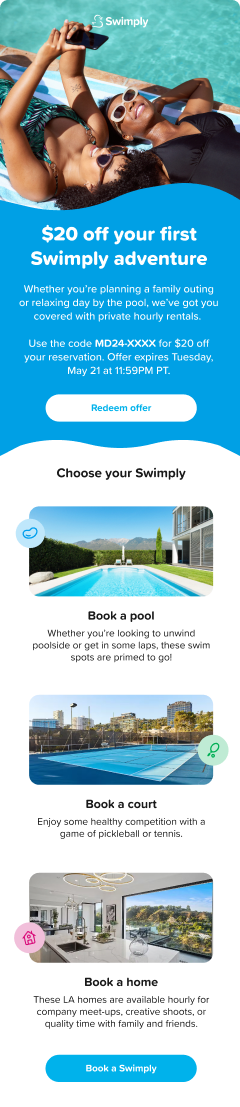
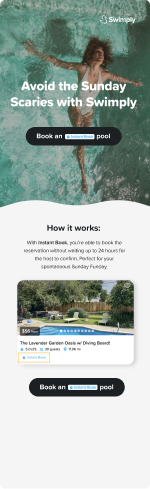
Core rules that govern every Swimply email. Typography, color, spacing, and components are locked. Layout and imagery stay flexible.

Background Rule
๐Ÿ“ฃ
Blue Background
Campaign and marketing moments. Promotions, seasonal blasts, product launches. Signals something special is happening.
๐Ÿ“‹
White Background
Lifecycle and transactional default. Welcome flows, booking confirmations, onboarding, nudges. Clean and utilitarian.
Guest Emails
Color Palette
Navy
#142039
Email Blue
#0E86C8
Cyan
#00B2FF
White
#FFFFFF
Core Rules
  • ๐ŸŽจBlue (#0E86C8) hero background for campaign blasts. White for lifecycle and transactional.
  • ๐Ÿ”คBody type: system sans-serif stack. Headings max 32px. All-caps sparingly for labels and CTAs only.
  • ๐Ÿ–ฑ๏ธPrimary CTA: white pill button with navy or blue text. One primary CTA per section. Never stack two primary CTAs.
  • ๐Ÿ“Max email width: 600px. Section padding: 32px top/bottom. Content padding: 24px left/right.
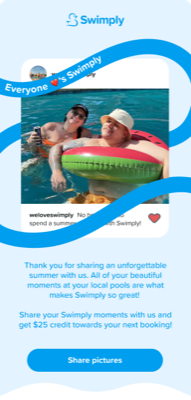
  • ๐Ÿ–ผ๏ธLifestyle photography over studio. Real guests at real pools. UGC-style preferred when available.
Recommended Modules
H1H2H3 H4F1F2F3F4F5F6 L1L2R1D1D2M1M2
Host Emails
Color Palette
Navy
#142039
Email Blue
#0E86C8
Cyan
#00B2FF
White
#FFFFFF
Core Rules
  • ๐Ÿ White background is the default for host lifecycle emails. Reserve blue for host campaign moments (peak season kickoffs, earnings milestones).
  • ๐Ÿ’ฌCopy references earnings, bookings, and hosting performance, not discovery. Replace guest CTAs with host CTAs like "Manage listings" or "See your stats".
  • ๐Ÿ—‚๏ธPrefer F2 (white feature rows) over F1 (blue feature rows) for informational and instructional content.
  • ๐Ÿ“ˆData and stats perform well with host audiences. F4 (stat tiles) and F8 (savings table) can be adapted for earnings comparisons and booking rates.
Recommended Modules
H1H2 F2F4F6F8R1D1D2M2
Summer Pass Emails
Color Palette
Source blues from the Passes 2026 Figma file (left 3 emails only).Summer Pass has its own gradient system. Never approximate from the standard guest palette.
Pass Gradient
Figma ref
White Text
#FFFFFF
Cyan Accent
#00B2FF
Core Rules
  • โ˜€๏ธAll-blue. Summer Pass emails are always campaign mode. No white sections. The entire email lives in the blue gradient system.
  • ๐Ÿ”คWhite text only. No navy or dark text on blue backgrounds.
  • ๐Ÿ–ฑ๏ธCTA: white pill button with blue text. This is the only CTA variant for Summer Pass emails.
  • ๐ŸŽŸ๏ธF7 (Pass product card) is the anchor module. Always include it immediately after the hero.
Required Modules
H1F7M1 H2F5F8F6D1
Winter / Igloo Emails
Isolated system. Source everything from the Fall/Winter Assets Figma file, LCM page only.Winter/Igloo has its own color, imagery, and component language. Never mixed with other palettes.
  • โ„๏ธCool, moody photography. Hot tubs, igloos, firepits, cozy indoor venues. No summer pool imagery.
  • ๐ŸŽจDeeper, richer blues and darker backgrounds are appropriate. H3 (dark photo hero) is especially suited here.
  • ๐Ÿ“…Seasonal window is October through February. Do not use winter assets outside this range.
  • ๐Ÿ–ผ๏ธWhen in doubt, show a hot tub with steam. Warm lighting preferred over cold/overcast.
Typography Rules (All Email Types)
Headline
H1 / 28-32px
Bold. Short. One emotional punch. Max 8 words. All-caps for short punchy variants only.
Subhead
H2 / 18-22px
Section-level label or supporting context. Sentence case. Often paired with a section below it.
Body
Body / 14-16px
Max 3 lines per section. Short paragraphs. Never justify. Left align or center, never right.
Module Library

18 Building Blocks

Every Swimply email is assembled from this library. Reference modules by ID in briefs. Designers pull a module and push copy to it.

Hero Modules โ€” H1, H2, H3, H4
H1
Blue Gradient Hero โ€” Text + CTA
Full-width blue hero. Bold headline, supporting line, centered CTA. No imagery. Maximum impact with minimum distraction.
This Weekend
IT'S FRIDAY. YOU KNOW WHAT THAT MEANS.
The weekend's better with a private pool. Find yours.
Find a Pool Near Me โ†’
Headline8 words max. Emotional hook. All-caps optional.
Subline1-2 supporting lines. Context or reason to click.
CTA ButtonWhite pill, blue text. "Find a Pool Near Me โ†’". Verb-first, 3-5 words.
When to UseCampaign blasts, Summer Pass, product launches. Blue bg only.
H2
Blue Gradient Hero โ€” Text + Lifestyle Photo
Blue hero with embedded lifestyle photo alongside the text. Adds warmth and aspiration to campaign openings.
๐Ÿ”ฅ
Cap off a long week with a relaxing soak in a private hot tub
Headline6-8 words. Paired with a specific venue or category.
SublineSupporting context. Optional.
CTA ButtonWhite pill, blue text. "Browse Pools โ†’", "Find Courts โ†’". Verb-first.
ImageLifestyle photo. Pool, court, venue. Portrait or square crop.
When to UseWhen the visual anchor helps sell the category. Good for guest blasts featuring a specific venue type.
H3
Full Photo Hero โ€” Text Overlay
Full-bleed hero photo with headline and CTA overlaid. Works in bright lifestyle or dark moody variants depending on imagery.
Real guests.
Real reviews.
See Reviews โ†’
ImageHigh-quality venue or lifestyle photo. Must read under overlay.
HeadlineShort and punchy. White text. Max 6 words.
CTA ButtonFrosted white pill, dark text. "See Reviews โ†’", "Explore Now โ†’". Optional โ€” skip if hero leads into content.
When to UseReview emails, social proof moments, seasonal campaigns with strong imagery. Works for guest and winter/igloo.
H4
Section Headline โ€” Icon Badge + Centered Text
Centered category icon badge above a bold headline. Used to introduce a section or new category mid-email. White background.
๐Ÿ 
Discover the benefits of Swimply Homes
From intimate gatherings to full-day celebrations โ€” private spaces, your way.
Icon BadgeCategory icon in a colored circle. Color matches the campaign theme (pink for Homes, blue for Pools, green for Pets, etc.).
HeadlineBold. Centered. "Discover the benefits of Swimply [Category]" or custom. Max 10 words.
SublineOptional. 1 short sentence. Expands on the headline without repeating it.
When to UseSection introductions, category launches, feature announcements. Sits above F2 or F5 when an email introduces a new category or benefit set. White background only.
Feature Modules โ€” F1 through F8
F1
Feature Rows โ€” Blue Background
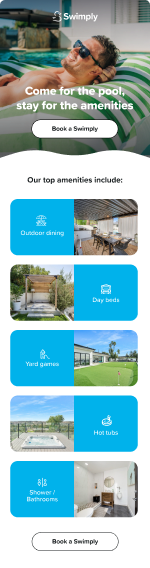
Alternating image + text rows on blue. Dashed scallop dividers between rows. Campaign energy.
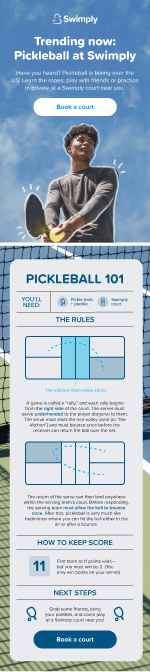
Pickleball Courts
Private courts. No time limits. Book by the hour.
Book a court โ†’
Private Pools
No strangers. Just your group, all day.
Find pools โ†’
Row TitleFeature name or category. White text. e.g. "Pickleball Courts"
Row Copy1-2 lines. White text. Benefit-led.
ImageVenue or lifestyle. 1 image per row. Emoji placeholder above = category hint.
Row LinkUnderline text link per row. "Book a court โ†’". Deep-links to category.
CTA ButtonWhite pill at section bottom. "Explore All โ†’" or category-specific.
When to UseGuest campaign emails. Showcasing features, categories, or venue types. Blue bg only.
F2
Feature Rows โ€” White Background
Same structure as F1 but on white. Clean and informational. Preferred for host emails and lifecycle flows.
Update Your Listing Photos
Hosts with great photos earn 2x more. Here's how to do it in 5 minutes.
Update photos โ†’
Set Your Peak Pricing
Summer demand is 40% higher. Adjust your rates now.
Manage pricing โ†’
Row TitleFeature or tip name. Navy text. e.g. "Update Your Listing Photos"
Row Copy1-2 lines. Dark text. Benefit or instruction.
ImageVenue, product, or illustrative photo.
Row LinkBlue underline text link per row. "Update photos โ†’", "Manage pricing โ†’".
CTA ButtonBlue pill, white text (white bg variant). "Manage My Listing โ†’".
When to UseHost lifecycle. Onboarding. Instructional sections. Informational guest emails. White bg only.
F3
Tile Grid โ€” Square Photos + Label
Grid of square photo tiles, each with a category or amenity label below. 2, 3, or 4 columns.
Tile ImageSquare crop. Category photo or amenity.
Tile Label1-3 words. "Pools", "Courts", "Hot Tubs". Centered below tile.
Tile LinkEntire tile is clickable. Deep-links to category search. No separate button needed โ€” the tile IS the CTA.
When to UseAmenities and category discovery. Works on blue or white bg. Often paired with H1 or H2.
F4
Stat Tiles โ€” Photo + Overlaid Number
Photo tiles with a bold stat overlaid. Used for milestone moments, Year in Review, or social proof at scale.
2.4M
Bookings in 2024
$1,400
Avg Host Earnings
45K
Spaces Available
4.9โ˜…
Avg Rating
Stat NumberBold. Oversized. White. Formatted: 2.4M, $1.4K, 4.9โ˜….
Stat LabelShort uppercase label below the number. "Bookings in 2024".
PhotoVenue or category photo. Shown behind a color overlay โ€” pick an image that reads as a shape, not detail.
When to UseYear in Review. Milestone announcements. Social proof at scale. Host earnings highlights.
F5
Use Case Grid โ€” 2x2 Lifestyle + Caption
2x2 grid of lifestyle photos, each with a short use case or occasion caption. Shows how people use Swimply.
Caption3-6 words. Occasion-led. "Birthday pool party." "After-work cool-down."
PhotoLifestyle. Real people enjoying the space. Horizontal crop.
Tile LinkEntire tile is clickable. Deep-links to occasion search or pass page. The tile IS the CTA.
When to UseSummer Pass occasion framing. Guest discovery emails. Any "what can I do with Swimply" moment.
F6
Benefit List โ€” Checkmarks
White background. Green circle checkmark + short benefit per row. Used to surface feature highlights and objection-busters.
โœ“
No commitment after purchase
โœ“
Works at 45,000+ pools and courts
โœ“
No booking fees, ever
IconGreen circle โœ“. One per row. Consistent across all rows.
BenefitMixed case. 4-8 words. Objection-busting. "No commitment after purchase."
CTA ButtonBlue pill. "Get the Summer Pass โ†’". Appears below the list. Always include.
When to UsePass value props. Conversion moments. Countering objections. Works on white or light gray backgrounds.
F7
Pass Product Card
The Summer Pass product card. Blue gradient background, pass name, price, and key inclusions. Required in all Summer Pass emails.
Swimply Summer Pass
$99
/ season
โœ“
Unlimited bookings all summer
โœ“
50% off peak-hour rates
โœ“
No booking fees, ever
โœ“
Early access to new listings
Get the Pass โ†’
Pass Name"Swimply Summer Pass" โ€” appears as eyebrow label above price.
PriceLarge white. The anchor number. "/ season" or "/ month" subscript.
Inclusions3-4 checkmark rows. What the pass includes. Short sentences.
CTA ButtonFull-width white pill, blue text. "Get the Pass โ†’" or "Buy Now โ†’". Always full-width in this module.
When to UseRequired for all Summer Pass emails. The anchor module. Always placed after the hero.
F8
Savings Comparison Table
Side-by-side comparison table. Pass vs. no pass, or Swimply vs. alternatives. Highlights savings or value advantage.
This Summer
4 Sessions
Pass โœ“
Cost
$160
$99
Booking fees
$12โ€“18
$0
Access
Limited
Unlimited
Column HeadsCol 1: row label. Col 2: "Without Pass". Col 3: "With Pass" (highlighted blue bg).
Row LabelsCost, Booking fees, Access, Peak hours. 3-4 rows max.
ValuesDollar amounts, checkmarks, or short text. Pass column always wins.
When to UseSummer Pass value sell. Use when a direct cost comparison strengthens the case to buy.
Listing Modules โ€” L1, L2
L1
2x2 Listing Grid
Four listing cards in a 2x2 grid. Photo, venue name, location, and price. Guest discovery emails only.
Listing PhotoTop pool or venue photo. From platform. Square crop.
Venue NameFrom platform. Keep as-is.
LocationCity or neighborhood. 1 line.
Price + LinkStarting rate in blue. Entire card is clickable. "From $45/hr" โ€” the price IS the CTA pull.
When to UseGuest discovery and campaign blasts. Never in host emails.
L2
Stacked Listing Cards
Full-width stacked listing cards. Photo on left, details on right. More detail per listing than L1. Good for featured picks.
PhotoVenue photo. Square crop on left. Portrait orientation works best.
Name + LocationVenue name bold. City/neighborhood in gray below.
Amenity Tags2-3 highlights inline with location. "Heated ยท Private ยท Hot tub."
Price + CTA ButtonPrice left-aligned in blue. "Book Now" blue pill right-aligned. Both within the card row.
When to UseFeatured or curated picks. "Pools Near You" sections. Guest emails only.
Social Proof โ€” R1
R1
Review Cards โ€” Stars + Quote
Stacked or 2-column review cards. Star rating, quote, and guest attribution. Builds trust and social proof.
โญโญโญโญโญ
Enjoyed the space, loved how understanding and accommodating the host was. A birthday well spent with loved ones.
โ€” Diana
โญโญโญโญโญ
Best pool day we've had. Easy to book, great host, and the space was exactly as pictured.
โ€” Marcus L.
Starsโ˜…โ˜…โ˜…โ˜…โ˜… Always 5-star. In gold (#F6AD55).
QuoteReal review, lightly edited. Italicized. 1-2 sentences. In quotation marks.
AttributionFirst name + city only. "โ€” Sarah M., Austin TX". Never full last name.
CTA ButtonBlue pill below review stack. "Find Your Pool โ†’" or category-specific. Converts the social proof into action.
When to UseAny email where trust is the CTA. Review-focused sends. Pairs well with H3 for a full review-themed email.
Dividers โ€” D1, D2
D1
Wave Divider โ€” Blue to White
Smooth wave shape transitioning from a blue section into white below. Soft, branded transition.
DirectionBlue above, white below. Do not invert.
When to UseTransition between a blue section and white content below. One D1 per email.
D2
Dashed Scallop Divider
A horizontal dashed line used to separate rows within a feature section. Lightweight and on-brand.
ColorWhite/translucent on blue. Light gray on white.
When to UseBetween rows inside F1 or F2. Never as a full section break โ€” use D1 for that.
Shared Marketing Modules โ€” M1, M2
M1
Summer Pass Banner
Persistent Summer Pass promotional banner. Inserts into any guest email as a secondary conversion module.
Swimply Summer Pass
Get your 2026
Summer Pass โ€”
55% off ends April 15
$149$67
Get the Pass โ†’
๐Ÿฆ†
SUMMER '26
HeadlineOne punchy line. "Unlimited Swims. One Summer."
SublineValue hook. Optional. "From $99 ยท Unlimited access all season."
CTA ButtonWhite pill, blue text. "Get the Pass โ†’". 3โ€“4 words max.
When to UseInsert into guest campaign emails during Summer Pass active window. Never standalone in lifecycle flows.
M2
Referral Banner
Referral program promotional banner. Shareable offer, credit amount, and CTA. Persistent secondary module across guest and host emails.
Earn credits all summer long โ˜€๏ธ
Give $10 off · Get $10 in credits
Invite Friends, Earn Credits
HeadlineReferral hook. "Invite a Friend. You Both Get $X."
Credit AmountMake the number prominent in cyan. $20. $50. Big and scannable.
CTA ButtonCyan pill, white text. "Share Your Link โ†’".
When to UseFooter of guest or host emails. Especially strong after a first booking or first hosting experience.
Brief Format

How to Brief the Creative Team

Every creative brief follows the same structure: email type, module stack, copy slots, and imagery direction. The module stack replaces layout wireframes. Designers pull the modules and push the copy.

Brief Template

Copy this format for every creative request

e.g. "Summer Kick-Off Blast โ€” June 2026"
Guest Campaign / Guest Lifecycle / Host Campaign / Host Lifecycle / Summer Pass / Winter-Igloo
What action should the reader take? What is the one conversion point?
List module IDs in order. e.g. H2 + D1 + L1 + F6 + M2
One row per module. Module ID + field name + approved copy or direction.
Describe the photo vibe per module. Attach reference images or Figma links where available.
Design: [date]. Copy approval: [date]. Send: [date].
Anything the designer needs to know. Variations, Klaviyo block IDs, A/B tests, etc.

Worked Examples

Example 1: TGIF Friday Blast

Guest Campaign โ€” Weekly send

Guest Campaign
Drive weekend bookings. One click to search by category near user location.
H1Blue hero โ€” text + CTA only. Weekend energy headline.
D1Wave divider โ€” blue to white.
F3Tile grid โ€” 4 category tiles (Pools, Courts, Hot Tubs, Saunas).
L12x2 listing grid โ€” top local picks for the weekend.
M2Referral banner โ€” footer placement.
H1
Headline
It's Friday. You know what that means.
H1
Subline
The weekend's better with a private pool. Find yours.
H1
CTA
Find a Pool Near Me
F3
Tile Labels
Pools / Pickleball Courts / Hot Tubs / Saunas
M2
Headline
Invite a friend. Get $20 toward your next booking.
F3 tiles: top-performing category images from the asset library. L1: 4 high-rated local listings. Bright, sunny, blue water.

Example 2: Summer Pass Launch

Summer Pass โ€” Product launch send

Summer Pass
First-time purchase of Summer Pass. One clear conversion point. No competing CTAs.
H1Blue gradient hero. Launch energy headline.
F7Pass product card โ€” the anchor. Price, inclusions, CTA.
F5Use case grid โ€” 4 occasions to use the pass.
F8Savings table โ€” Pass vs. 4 individual bookings.
F6Benefit list โ€” 3 objection-busting benefits.
M1Pass banner โ€” footer reinforcement CTA.
H1
Headline
Your whole summer. One pass.
H1
CTA
Get the Pass
F7
Price
$99 / season
F7
Inclusions
Unlimited bookings / 50% off peak hours / No booking fees / Early access to new listings
F6
Benefits
No commitment after purchase / Works at 45,000+ pools / Cancel anytime
F5: joyful groups at pools โ€” families, friend groups, couples. Bright sun. Source from Passes 2026 Figma lifestyle bank.

Example 3: Host Peak Season Kickoff

Host Campaign โ€” Seasonal send

Host Campaign
Prompt hosts to update calendars and pricing ahead of peak summer demand. Drive listing page visits.
H2Blue hero with pool lifestyle photo. Earnings theme.
F4Stat tiles โ€” platform-level summer booking stats.
F2Feature rows โ€” 3 tips: update calendar, set peak pricing, update photos.
F6Benefit list โ€” earnings potential reminders.
M2Referral banner โ€” invite another host.
H2
Headline
Your busiest summer starts now.
H2
CTA
Manage My Listing
F4
Stats
3.2M bookings last summer / $1,400 avg host earnings / 40% demand increase May-August
F6
Benefits
Hosts with updated photos earn 2x more / Peak pricing = 35% higher per booking
H2: beautiful pool from host perspective, not guest POV. F4: lifestyle shots with stats overlaid. F2 rows on white bg.

Example 4: Amenities Discovery Blast

Guest Campaign โ€” Category awareness

Guest Campaign
Drive awareness and clicks for underutilized amenity categories. Pickleball, saunas, basketball courts.
H2Blue hero with lifestyle photo. Category discovery theme.
F1Feature rows blue โ€” 3 featured amenity categories with imagery.
D1Wave divider.
F3Tile grid โ€” 6 amenity tiles for quick-click discovery.
L2Stacked listing cards โ€” 3 featured picks from the new categories.
H2
Headline
It's not just pools anymore.
H2
Subline
Courts. Saunas. Hot tubs. Fire pits. All private. All bookable.
F3
Tile Labels
Pickleball / Basketball / Tennis / Sauna / Hot Tub / Fire Pit
F1 rows: action shots preferred (people playing pickleball, in hot tub, etc.). F3 tiles: clean venue shots. Bright, inviting. From LCM asset bank.
Copy Direction

Voice, Tone, and Territories

Four active creative territories, six voice rules, and do/don't guidance for writing Swimply email copy.

Core Voice Rules
Short and Confident
Subject lines under 50 chars. Hero headlines under 8 words. No hedging language. Say what you mean.
Sensory and Specific
Name the feeling, not just the feature. "Splash with the kids" beats "family-friendly pool rental."
You-First Language
Put the reader first. "Your perfect weekend" not "Swimply helps users find weekends." The user is the protagonist.
No Em Dashes
Never use em dashes in client-facing copy. Use periods, colons, commas, or parentheses instead.
CTAs are Promises
The CTA should describe what happens after the click. "Find My Pool" beats "Learn More." Verbs that imply action.
Warmth Without Slang
Friendly and accessible. Not trying too hard. Avoid forced casual. Natural and inviting.

T2
The Joy of the Private
The feeling of having a space entirely to yourself or your people.

Leans into exclusivity, intimacy, and ownership. Contrast with public pools or shared spaces. Works especially well for guest acquisition and summer campaign sends.

Write This
"No strangers. No sharing. Just you."
"Your own pool, all afternoon."
"The public pool called. We hung up."
Not This
"Swimply offers private pool access."
"Book a pool for your group today."
"Experience premium aquatic wellness."
T4
Memories Worth Making
The emotional payoff of gathering and creating a moment together.

Focuses on the occasion and the people, not the product. Birthdays, reunions, first summers, last-minute decisions that turn into perfect days. Warm, nostalgic, and forward-looking.

Write This
"The birthday party they'll talk about for years."
"Your kids are growing up fast. Make this one count."
"The plan was last minute. The memory wasn't."
Not This
"Perfect for events and gatherings."
"Book an affordable venue for your party."
"Create special moments with friends and family."
T5
The Upgrade That's Already Nearby
Private pools and courts are not far or expensive. They're one tap away.

Counters the "it's not for me" objection. Emphasize proximity, affordability, and ease. Strong for reactivation and first-time buyer moments.

Write This
"There's a pool 3 miles from you. It's $45 for 3 hours."
"The upgrade is closer than you think."
"This summer doesn't have to feel like every other summer."
Not This
"Access thousands of pools at great prices."
"Swimply makes it easy to book private spaces."
"Discover a new way to enjoy your summer."
T6
Pure Pool Joy โ˜€๏ธ
The unfiltered excitement of a perfect pool day. Emojis always. Energy always.

This territory lives at the intersection of summer nostalgia and right-now excitement. It's not aspirational or sophisticated โ€” it's pure, contagious fun. Think: the feeling of jumping in on a hot day, kids screaming with happiness, floaties, cold drinks, sunscreen smell. Every communication in this territory carries at least one emoji. The writing is loose, punchy, and sounds like it was written by the most fun person in the group chat. Works best for blast campaigns, flash promotions, summer season openers, and SMS.

Territory Rule: Every message in T6 must have at least one emoji. Subject lines, CTAs, body copy โ€” all of it. Emojis are not decoration here, they're punctuation. If it doesn't feel like it could be a text from a friend who found an amazing pool, rewrite it.
Write This
"It's hot out. You know what to do. ๐ŸŠ"
"Summer called. It wants you in a pool. โ˜€๏ธ๐Ÿ’ฆ"
"Your floatie is lonely. Book a pool today. ๐Ÿฆฉ"
"Best decision you'll make all week ๐Ÿ‘‡"
"Pool day = best day. Full stop. ๐ŸŒŠ"
"No sunscreen excuses. There's a pool 4 miles away. ๐Ÿ•ถ๏ธ"
Not This
Any subject line without an emoji
"Experience the joy of private pool access."
"A summer to remember awaits."
Long sentences. Multiple clauses. Dependent phrases.
CTAs like "Learn More" or "Explore Options"
Anything that sounds like it was approved by legal
T6 Subject Line Examples
"It's giving pool day ๐ŸŒŠโ˜€๏ธ"
"Hot outside. ๐Ÿ’ฆ You know what to do."
"Your summer just got a whole lot wetter ๐ŸŠโ€โ™€๏ธ"
"Pools. Sun. Vibes. Book one. ๐Ÿ•ถ๏ธ"
"This is your sign to get in the pool ๐Ÿฆฉ"
Best Used For
Summer blast campaigns SMS sends Push notifications Flash / weekend promotions Heat wave / hot weather triggers In-app messages Reactivation (lapsed guests)


Host Copy Direction

Host Voice & Messaging Framework

The host is a property owner monetizing an asset, not a guest looking for fun. Host copy is about earnings, control, community, and pride. Every message should make the host feel smart for listing and supported while doing it. This framework is built from Swimply's on-site host language and the approved host onboarding copy.

Host Voice Principles
Earnings First
Lead with money. Hosts are here to earn. Show dollar amounts, not vague promises. "$2,400/month on weekends" beats "earn extra income." Make the math visible.
You're in Control
Hosts need to feel they own every decision. You set the price. You set the rules. You approve every booking. Nothing is automatic. This is THEIR space.
Easy as Sundays
Hosting should feel effortless. Use the product's own language: "Hosting is easy, like Sundays!" Break everything into 3 simple steps. Never make listing feel like work.
Data-Driven FOMO
Use local, specific data to create urgency. "Hosts in [City] earned $X,XXX this week." "A host 3 miles from you just booked $350." Geo-earnings make it real.
Community + Pride
Hosting is joining 15,000+ people. It's creating joy, not just renting a pool. "You didn't just open your backyard. You made someone's whole summer."
Protection = Confidence
Always include the safety net. $1M protection, verified guests, 24/7 support. "Host with total confidence." This language removes the #1 blocker.
Approved On-Site Headlines (Source of Truth)

These are the exact headlines and phrases used on swimply.com/become-a-host and inside the listing builder. Use them directly or adapt for email.

Hero: "Host Joy in your Neighborhood. Get paid. Repeat."
Ease: "Hosting is easy, like Sundays!"
Earnings: "Your Swimply could earn $3,500/mo"
Trust: "Host with total confidence. Every booking has a $1,000,000 protection guarantee."
Scale: "Join 15,000+ owners renting out their backyards by the hour."
Scale: "Over 4 million guests hosted across the U.S., Canada & Australia"
Steps: "List your pool in 3 easy steps"
Publish: "Your listing is ready to go live"
Grand Opening: "Offer a 20% discount for the first 3 bookings to get your first 5-star review quicker"
The 3-Step Framework

The product uses a consistent 3-step framework throughout the listing builder. All host emails should mirror this language and structure.

Step 1
Tell us about your space
Pool type, amenities, a few fun details. ~3 minutes.
Step 2
Make it stand out
Add 5+ photos plus a title and description. We'll help you out.
Step 3
Start earning
Set your price, availability, and guest rules. We recommend a rate.
Daisy AI Coaching Tone

The listing builder features "Daisy AI" tips throughout. This coaching voice is the ideal tone for host lifecycle emails: helpful, data-backed, encouraging, and never pushy.

Amenities: "Want an insider tip? Heating, hot tubs, BBQ grills and lounge chairs tend to attract the most bookings."
Restroom: "Listings with restroom access typically attract 35% more bookings and enjoy longer stays with fewer guest questions."
Photos: "Photos are everything, but done beats perfect. Upload whatever you have now and perfect it later."
Guest Count: "The more guests your space can accommodate, the more you can earn! Celebrations & larger bookings will often pay up to 5x more."
Pricing: "Your price is always up to you. We always recommend starting a little lower and then raising prices once you've got some reviews under your belt."
Availability: "The more days & hours your pool is open, the more you can earn!"
Use Case & Earnings Language

The product shows hosts which booking types they'll attract based on their settings. Use these exact labels and earning tiers in emails.

Use Cases (from Product)
🧗 Wellness dips $ Highest repeat
👨‍👩‍👧 Family swims $$ Most common
👥 Friends & family $$$ High value
🎉 Celebrations $$$$ Highest earning
🎂 Kid's birthdays $$$ High overall value
🐶 Pet swims $$ High long-term value
Earnings Benchmarks (for emails)
$65/hr average hourly rate
$5,000-$12,000/mo peak season average
$200,000+/yr top host earnings
$12,300/season average per market
3x faster first booking with Host Boost
40% more bookings with Instant Book on
35% more bookings with restroom access
Press Quotes (Social Proof)

Use these real press headlines in host emails and trust footers. Always attribute the publication.

CNBC Make It: "This 57-year-old's lucrative side hustle: Earning $177,000 renting out his backyard pool to strangers"
Business Insider: "I make $22,000 a month renting out backyard pools through an app. It's an easy side hustle that only takes a few hours a week."
Realtor.com: "I Pay My Mortgage by Renting Out My Pool Year-Round"
Trust footer format: "Safe. Simple. Rewarding. Every booking backed by $1M protection, secure payments, and 24/7 support. As seen on TODAY, Forbes, and The New York Times."
Host Do / Don't
Write This (Host Voice)
"Your pool is your biggest untapped asset."
"Hosts in [City] earned $X,XXX this week."
"A host 3 miles from you just booked a $350 party."
"You set the price. You set the rules. You approve every booking."
"Hosting is easy, like Sundays!"
"Your pool called. It wants to pay the bills."
"Done beats perfect. Upload whatever you have now."
"You're already X% done!"
Never Write This
"Find your perfect pool this weekend." (guest copy)
"Discover the joy of a private pool." (guest territory)
"It's Friday. You know what that means." (wrong audience)
"Monetize your underutilized aquatic asset." (corporate)
"Maximize your ROI on your outdoor space." (too formal)
Guest-facing copy pasted into host emails
Vague earnings with no numbers
Anything that sounds like a lecture or obligation
Host CTA Library

Approved CTAs from the host onboarding flow. Always use action verbs that describe what happens after the click.

Onboarding CTAs
Finish My Listing →
Unlock My Boost →
Finish My Listing & Start Earning →
Finish My Listing & Go Live →
Finish My Listing & Go Live Safely →
Publish My Listing Now →
Post-Live CTAs
View My Dashboard
Update My Listing
Optimize My Photos
Open More Weekends
See My Earnings
Reply HELP (concierge offer)
Guest Copy Direction

Guest Voice & Messaging Framework

The guest is escaping locally. Guest copy is about discovery, ease, privacy, and moments. Every message should make the guest feel like the perfect pool day is one tap away. Built from Swimply's on-site guest language and the approved guest onboarding copy.

Guest Voice Principles
Escape Locally
This is Swimply's core tagline. The guest doesn't need to fly anywhere or book a hotel. The upgrade is already in their neighborhood. "Book your own private pool, by the hour."
Private = Premium
Privacy is the product. No crowds, no strangers, no sharing. "100% private access" is the single most powerful benefit. Lead with it.
Moments, Not Amenities
Sell the feeling, not the feature. "The birthday party they'll talk about for years" beats "pool with BBQ grill." Name the occasion, the people, the emotion.
Three Steps or Less
Booking should always feel effortless. Pick a pool, choose your time, show up. "That's it." Never make it sound complicated.
Social Proof at Scale
4 million+ guests. 95% would do it again. 15,000+ hosts. Use the big numbers. They eliminate the "is this legit?" question instantly.
Collections, Not Search
Don't send guests to "search." Send them to a Collection. Curated by vibe: Family-Friendly, Groups & Celebrations, BBQ & Chill, Pet-Friendly, Resort-Style. Collections reduce decision paralysis.
Approved On-Site Headlines (Source of Truth)

Exact headlines and phrases from swimply.com, the "How Swimply Works" guide, and the listing detail pages.

Hero: "Escape locally. Book your own private pool, by the hour."
Scale: "Over 4 million ⭐⭐⭐⭐⭐ experiences hosted by 15,000 hosts and counting!"
Guide: "Here's your guide to Escaping Locally."
Step 1: "Discover your paradise. Filter by distance, price, bbqs, water slides, you name it."
Step 2: "Make an entrance. You'll get the exact address and entry instructions before your booking."
Step 3: "Enjoy your Swimply! The space is completely yours for the time you reserved."
Privacy: "Whether it's a swim with the kids, laps with the pup, a pool party with friends or just some me time, this space is your sanctuary today."
App: "Download the app. Faster communication. Easier navigation. Exclusive in-app promotions."
Summer Pass: "Get The 2026 Swimply Summer Pass! Level up your summer with $0 in fees, free swims, exclusive pools & more!"
The 3-Step Guest Journey

The product uses a consistent 3-step "How Swimply Works" guide with playful illustrations. All guest emails should mirror this language.

Step 1
Discover your paradise
Explore your area for your favorite Swimply. Filter by distance, price, BBQs, water slides, you name it.
Step 2
Make an entrance
Get exact address and entry instructions before your booking. Some hosts roll out the welcome carpet, others offer self-serve.
Step 3
Enjoy your Swimply!
The space is completely yours for the time you reserved. Safe swimming!
Collections Language

Collections are curated pool groups by vibe. Use these exact names and emojis in emails. Always suggest collections over raw search.

👨‍👩‍👧 Family-Friendly Favorites
🎉 Perfect for Groups & Celebrations
🔥 BBQ & Chill
🐶 Pet-Friendly Spaces
🌴 Resort-Style Escapes
Search Filters & Categories (from Product)

These are the exact category tabs and filter tags from the search results page. Use them in emails to create brand continuity.

Space Types (category tabs)
All spaces Pools Tennis Pickleball Hoops Pet Parks Mansions Discover
Use-Case Tags (filter pills)
💦 Deals 🎉 Party 👨‍👩‍👧 Family 💍 Wedding 🍴 Dinner party 📸 Photoshoot 💼 Meeting 💰 Budget 🔥 +BBQ ⭐ Luxe 🐶 Pets 🔒 Privacy+
Listing Badges (from Product)

Listings on swimply.com carry trust badges. Reference these in emails when showing listing cards.

⭐ Top Swimply 🔄 Highly Rebooked 🏆 Award Winning
FAQ Questions Guests Ask

These are the exact FAQ questions on swimply.com. Use them as subject lines, section headlines, or copy hooks in guest emails.

How does booking work?
What's included in the booking?
How many people can I bring?
Will I have access to a bathroom?
Is it safe and private?
What happens if the weather is bad?
Can I book last minute?
Can I bring my pet?
Will the host be home during my swim?
What if I have an issue during my booking?
"Every Booking Includes" Language

This is the core value prop from the approved guest copy. Use these exact lines as benefit modules in emails.

🔒 100% private access
🏡 A beautiful, well-loved backyard
👥 Your favorite people
👋 A friendly host (hands-on or hands-off)
🛡️ The Swimply Guarantee
Guest Use Cases (for Inspiration Emails)

From the approved copy. Use these with emojis in visual modules, not as a plain text list.

👨‍👩‍👧 Family afternoons 🎉 Small celebrations 🌴 Luxury swims 🔥 BBQ & Chill 🎾 Tennis & pickleball 🌙 Evening dips 🧗 Mental-health days 🐶 Bring-your-dog days
Guest Do / Don't
Write This (Guest Voice)
"Escape locally. Your perfect pool is one tap away."
"No strangers. No sharing. Just you."
"Pick a pool. Choose your time. Show up and enjoy."
"4 million guests. 95% say they'd do it again."
"The most-loved pools book a few days ahead."
"Start with a Collection and find your vibe."
"It felt like a mini vacation without leaving town."
"You don't need a big occasion. Just a space you'll love."
Never Write This
"Earn income from your pool." (host copy)
"Join 15,000 hosts." (wrong audience)
"Book a premium aquatic experience." (corporate)
"Swimply offers a wide selection of pools." (feature dump)
"Our platform connects guests with pool owners." (about us)
Host-facing copy pasted into guest emails
Long feature descriptions instead of sensory moments
Anything that sounds like a terms of service
Guest CTA Library

Approved CTAs from the guest onboarding flow. Always use action verbs that describe discovery or booking.

Discovery CTAs
Browse Collections
Browse Pools Near You
Browse Near You
Browse More Pools
Explore Pool Collections
See Guest Favorites Near You
Action CTAs
Find My Pool
Grab My Spot
Book a Swimply
Find My Saturday Pool
Find My Next Pool
Book {{listing_name}}
Trust Footer (Guest)
Standard format: "Escape. Enjoy. Repeat. Every booking backed by $1M protection, secure payments, and 24/7 support. As seen on TODAY, Forbes, and The New York Times."

Bunim-Approved

Email Templates

16 approved templates. Reference by number when briefing designers โ€” e.g. "use T04 for this campaign." Click any template to view full size.

Guest / Campaign

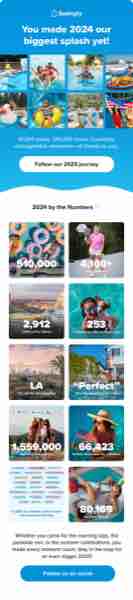
Year in Review
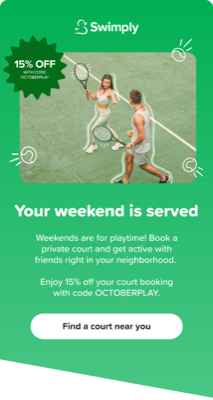
T01
Year in Review 2024
GuestCampaignStats
H2D1F4
Australia Day
T02
Australia Day
GuestHolidayAU
H2D1H4F2L2
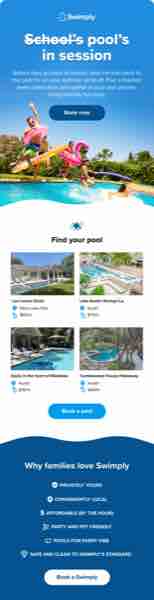
Back to School
T03
School's Pool's in Session
GuestSeasonalFamily
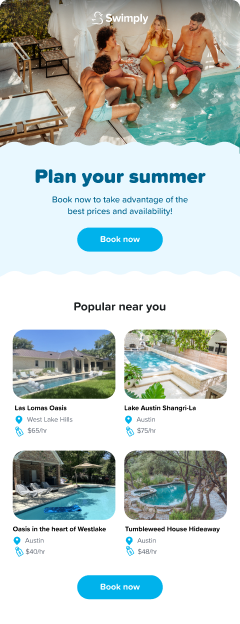
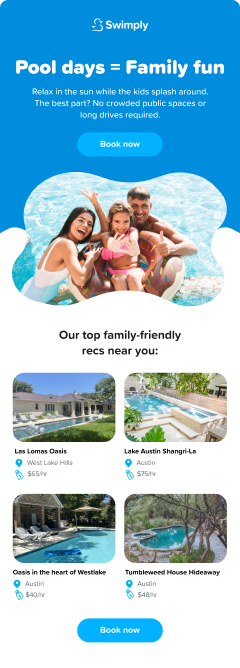
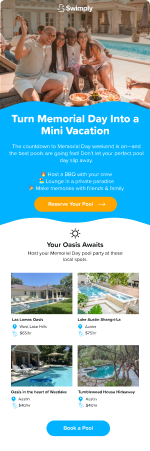
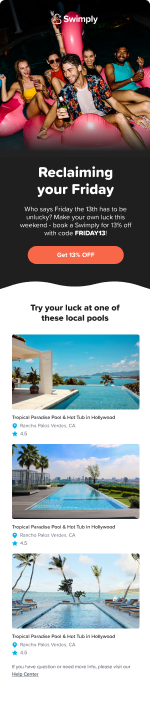
H2D1H4L1F6
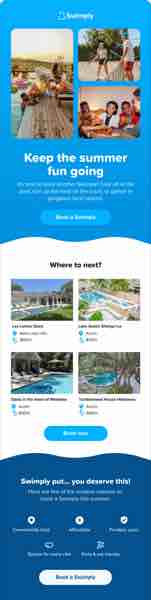
Keep the Summer Fun Going
T04
Keep the Summer Fun Going
GuestLCM2nd Booking
H2D1H4L1F6
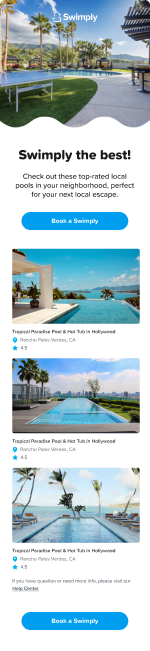
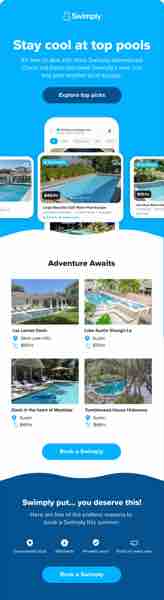
Stay Cool at Top Pools
T05
Stay Cool at Top Pools
GuestLCMApp
H1D1H4L1F6
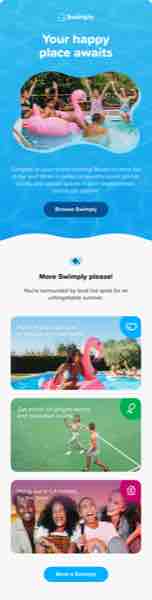
Your Happy Place Awaits
T06
Your Happy Place Awaits
GuestLCMCategory
H3D1H4F1
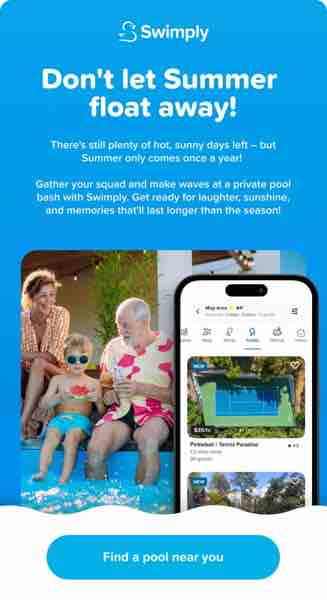
Don't Let Summer Float Away
T07
Don't Let Summer Float Away
GuestCampaignApp
H2
TGIF
T08
TGIF
GuestCampaignRecurring
H3D1H4F1L1
LA Pride Plans
T09
LA Pride Plans
GuestHolidayHomes
H3H4L1D1L2
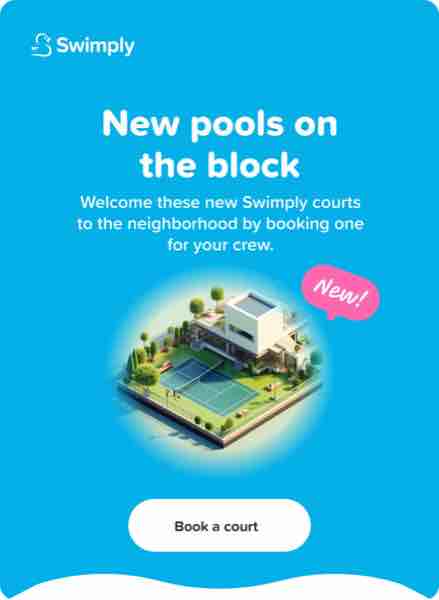
New Pools on the Block
T10
New Pools on the Block
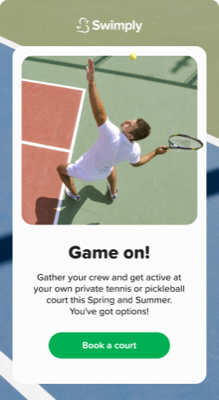
GuestCampaignCourts
H2

Pass

Weekday Pass
T11
A Pool Near You โ€” Unlimited Access
PassUpsellPricing
H4F7F8F5

Homes

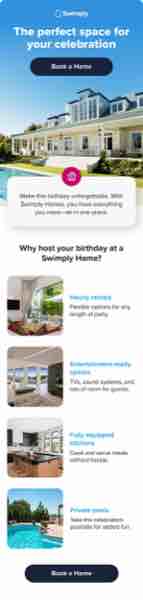
Homes Birthday
T12
The Perfect Space for Your Celebration
HomesOccasionBirthday
H3H4F2
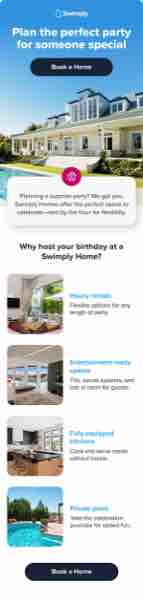
Homes Party
T13
Plan the Perfect Party for Someone Special
HomesOccasionParty
H3H4F2
Homes Upsell
T14
Your Celebration Destination Awaits
HomesUpsellLCM
H3H4F2L2
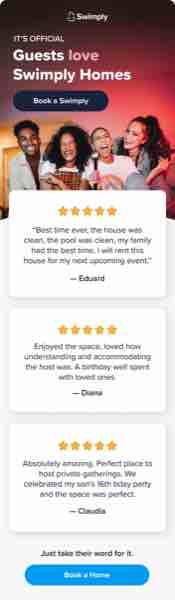
Guests Love Swimply Homes
T15
Guests Love Swimply Homes
HomesReviewsTrust
H3R1

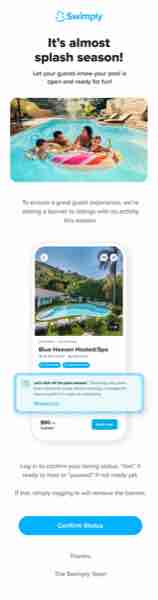
Host

Splash Season
T16
It's Almost Splash Season
HostReactivation
H1F2